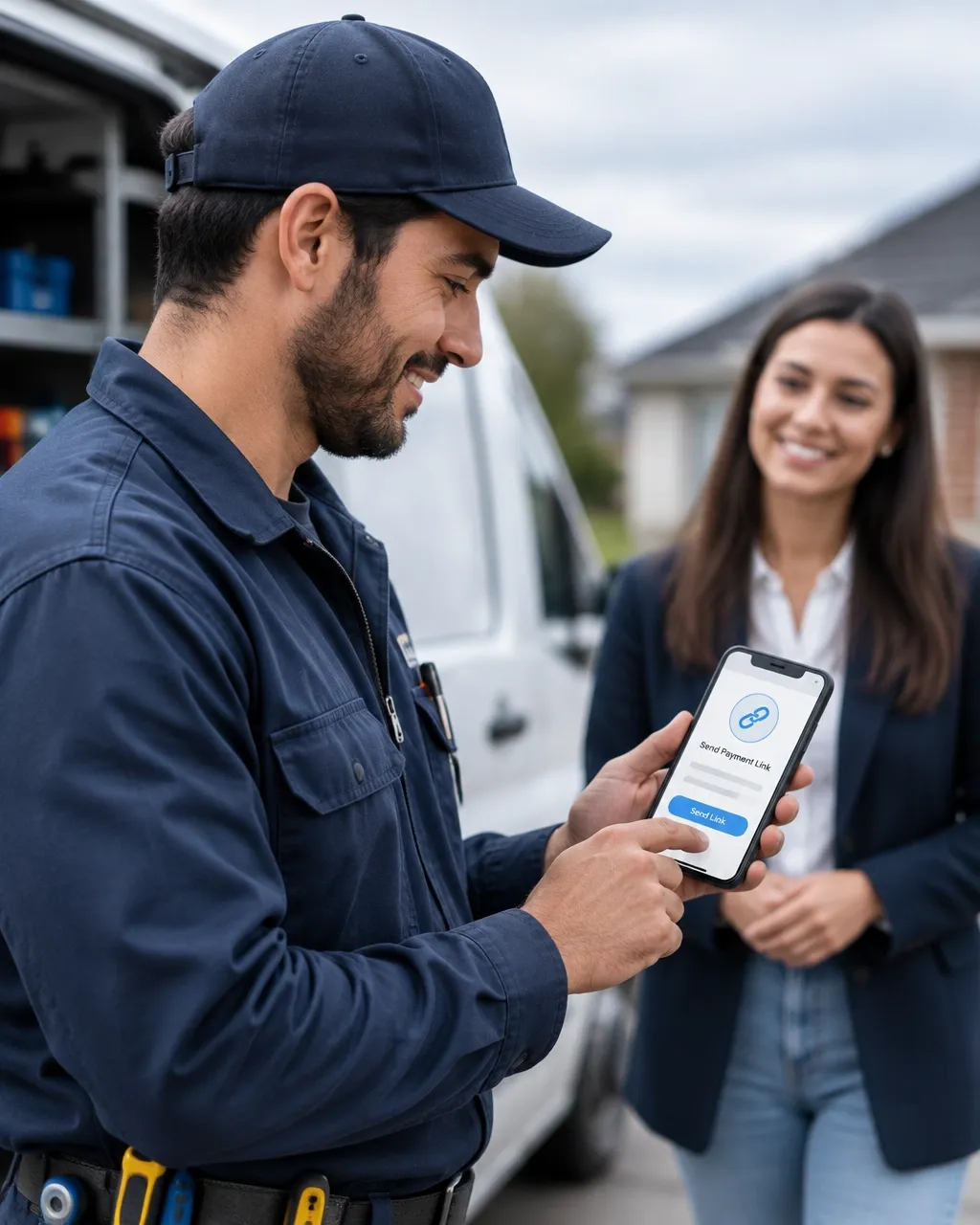
Get Paid Faster Without Chasing Invoices: How Online Checkout Pages Work for Small Business
A customer says yes.
You finish the quote. You agree on the work. Everyone is ready to move forward.
Then payment stalls.
You send an invoice. You wait. You send another message. You check your account again. Days pass while the job sits in limbo.
This is the gap between customer approval and getting paid.
A simple online payment & checkout system can close that gap. It gives customers a clear way to pay, sends helpful reminders, and keeps you from chasing every dollar by hand.
No complicated software. No awkward follow-up calls. Just smart systems that keep payments moving.
Why Customers Delay Payment
“If the customer agreed, why haven’t they paid?”
Approval does not always mean action.
Your customer may be busy. They may forget where the invoice went. They may not know how much to pay now. They may need to ask a business partner before sending the money.
Sometimes, the payment process itself creates the delay.
A long email. A confusing invoice. Too many payment steps. No clear due date. No easy payment button.
Every extra step gives the customer another reason to wait.
A simple payment link removes much of that friction. The customer can see what the payment is for, how much is due, and where to pay.
That makes the next step clear.
What Is Online Payment & Checkout?
“Do I need a full online store?”
No.
For many small businesses, online payment & checkout simply means giving customers an easy, secure way to pay online.
That might include:
A payment link for a service
A page for a deposit or retainer
A link attached to an invoice
A simple payment option after an appointment
A page for a one-time purchase
A payment request sent by text or email
You do not need a large online store to get started.
A service business, contractor, consultant, salon, cleaner, coach, or local shop can use simple payment tools without building a complicated website.
The goal is simple: make it easy for the customer to pay and easy for you to see what happened next.
Use Deposits to Start the Work
“Why should I ask for a deposit?”
A deposit protects your time and helps the customer commit to the work.
It can cover materials, reserve a spot on your schedule, or confirm that the project is moving forward.
Common examples include:
A contractor collecting a materials deposit
A photographer securing an event date
A consultant collecting a first-session payment
A designer starting work after a project deposit
A salon collecting a booking deposit
A repair business collecting payment for special-order parts
The amount can vary based on your business. Some owners collect a fixed amount. Others collect a percentage of the total.
The important part is clarity.
Tell the customer:
What the deposit covers
How much is due now
What balance remains
When the remaining balance is due
What happens if the project changes or gets canceled
A clear payment page helps prevent confusion later.
If you use automated appointment scheduling, you can also connect the booking process with a deposit request. The customer chooses a time and pays what is needed to hold it.
That reduces no-shows and saves you from sending separate messages.
Send Simple Payment Links
“What makes a payment link useful?”
A good payment link gives the customer one clear action.
It should show:
Your business name
The service or product
The amount due
The payment deadline
Whether it is a deposit or full payment
Any taxes or fees
How to contact you with questions
The link should work well on a phone. Many customers will open it while they are away from a computer.
Avoid sending a vague message such as:
> “Please send payment when you can.”
Instead, make the request specific:
> “Your $350 project deposit is ready. This deposit reserves your start date and covers the first materials order. Please pay by Friday using the link below.”
The customer should not have to search through old messages to understand what to do.
Keep the Payment Page Short
“What should the customer see?”
Only include what is needed to complete the payment.
A simple page usually works better than a crowded one. Use clear words. Show the total before the customer pays. Make the payment button easy to find.
The page should also work well on a mobile phone.
Large buttons and short forms help customers finish faster. Too many questions can cause them to stop before payment is complete.
You should also use a trusted payment provider. Customers want to know their payment details are handled safely.
Your business name, contact information, and basic refund or cancellation terms should be easy to find.
Trust matters. A customer is more likely to pay when the page looks professional and matches the business they already know.
Send Automatic Receipts

“Why do automatic receipts matter?”
A receipt confirms that the payment went through.
It also answers the customer’s next questions before they need to ask:
Was my payment successful?
How much did I pay?
What did the payment cover?
Is there a balance left?
What happens next?
A useful receipt can include:
Customer name
Business name
Date and time
Amount paid
Service or product
Payment status
Remaining balance, if any
Expected next step
Contact information
For a deposit, say exactly what happened:
> “Deposit received: $500. Remaining balance: $500 due on completion.”
That is much clearer than sending a receipt that only says “Payment received.”
Automatic receipts also make your business look organized. The message goes out right away, even when you are driving, serving a customer, or finishing a job.
Use Payment Reminders Without Feeling Pushy
“Will automated reminders annoy my customers?”
Not when they are helpful, timely, and respectful.
Most customers do not mind a short reminder when it includes the details they need.
A simple reminder schedule might include:
A reminder a few days before the due date
A reminder on the due date
One follow-up a few days after the due date
You do not need to send reminders every day.
Each message should include the payment amount, what it is for, the due date, and the payment link.
For example:
> “Hi Maria, this is a quick reminder that the $400 balance for your service is due today. You can pay securely here: [payment link]. Please reply if you have any questions.”
Keep the tone friendly. The goal is to help the customer complete the payment, not make them feel embarrassed.
You can also create different reminders for different situations. A new customer may need more detail. A repeat customer may only need a short message.
What Happens After a Failed Payment?
“What if the customer tries to pay but something goes wrong?”
A failed payment should not end the process.
The customer may have entered the wrong card number. Their card may have expired. Their bank may have declined the transaction.
A helpful system can send a message that explains the next step.
For example:
> “Your payment did not go through. Please check your payment details or try another payment method using the link below. Reply if you need help.”
This is better than leaving the customer unsure about whether the payment worked.
You can also receive an alert when a payment fails. That gives you a chance to step in when needed without checking every payment manually.
How Payment Automation Reduces Chasing

“Does automation replace personal service?”
No. It removes repetitive work so you can focus on personal service.
A simple payment workflow can handle the routine steps:
Customer approves the service.
The system sends a payment link.
The customer pays a deposit or full amount.
An automatic receipt is sent.
A reminder is sent if payment is still open.
You receive an alert when payment is complete.
The customer receives the next-step message.
You can still call, text, or email customers when a personal response is needed.
The difference is that you no longer have to remember every routine message yourself.
That is what good business automation systems do. They quietly handle repeat tasks in the background so fewer opportunities and payments slip through the cracks.
What Should You Automate First?
“Where should I begin?”
Start with the payment that causes the most delay.
For many small businesses, that is the first deposit. For others, it is the final invoice after a job is complete.
Set up one clear process first:
A payment link
A confirmation message
A receipt
A reminder
A failed-payment follow-up
Test the process yourself on a phone. Make sure the amount is correct. Check that the customer receives the right message. Confirm that your business receives the payment alert.
Then improve the process over time.
You do not need to automate every part of your business at once.
Get Paid Without Adding More Work
A better payment process does more than help you collect money faster.
It gives customers a smoother experience. It reduces confusion. It protects your time. It helps you start work sooner and spend less time checking unpaid invoices.
The best online payment & checkout system is simple enough for customers to use and automatic enough for you to stop chasing.
Smart Systems Marketing helps small businesses connect payment tools with their customer messages, follow-up, and other daily systems. The goal is not more software to manage.
The goal is fewer loose ends.
For more practical tips, visit the Smart Systems Marketing Insights Blog.
