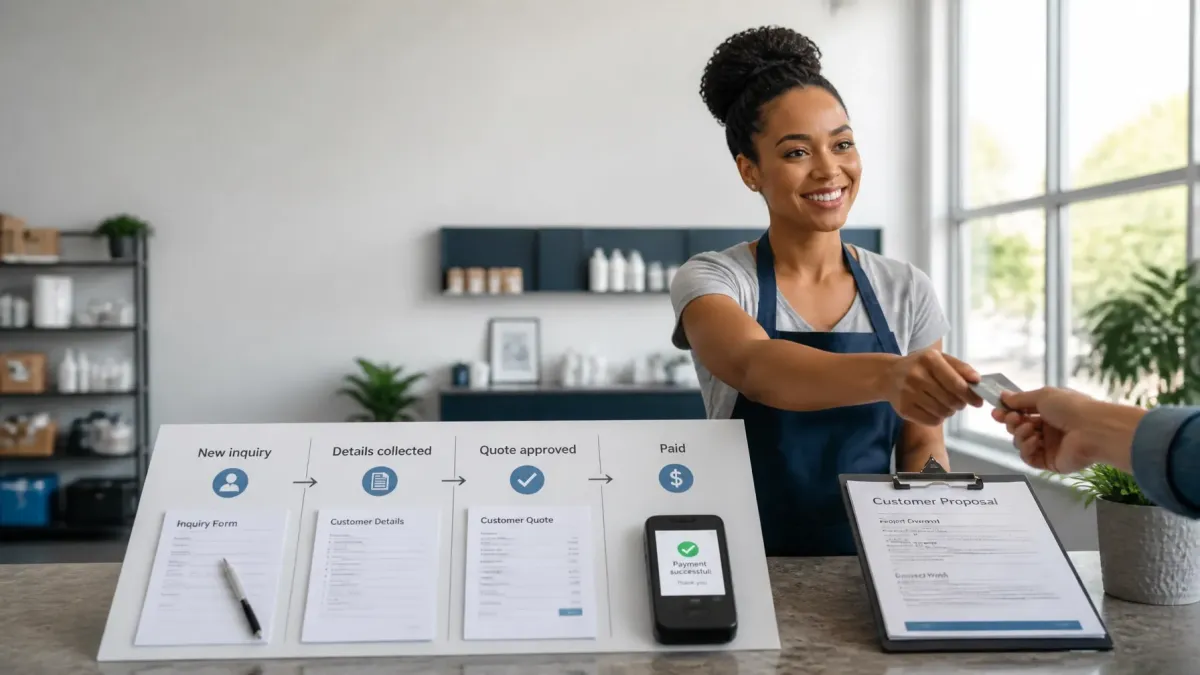
From New Lead to Paid Customer: How Connected Systems Keep Small Business Sales Moving
A new inquiry is not a sale.
It is the first step in a process that must keep moving.
The lead needs to be captured. The details need to be organized. The right questions need to be asked. A quote must be sent. The customer must approve it. Payment must be collected. Then the job needs to move to the right person.
When these steps are disconnected, sales slow down.
Important details stay in email. Quotes sit in drafts. Payment gets delayed. Nobody knows which leads are ready to buy.
Connected business automation systems help each step flow into the next.
You get a clearer view of every opportunity without adding more manual work to your day.
What happens when your sales process is not connected?
Many small businesses use several tools to manage one customer.
A website form captures the inquiry. Email stores the conversation. A spreadsheet holds customer details. A separate tool creates quotes. Another system collects payment.
Each tool may work well on its own.
The problem is the gaps between them.
You may need to:
Copy contact details from a form into a spreadsheet
Search through messages to find the customer’s request
Ask the same questions more than once
Remember which leads need a quote
Check whether a customer approved the proposal
Send payment instructions by hand
Tell your team when a customer has paid
That is a lot to manage when you are also serving customers, completing jobs, and running the business.
The goal is not to add more software.
The goal is to connect the work you already do so information moves with the customer.

What does a connected sales system do?
A connected system gives each lead a clear path.
The process may look like this:
New inquiry
Customer details collected
Lead qualified
Quote or proposal created
Proposal approved
Payment collected
Customer handed off for service
Each stage has a purpose.
Each stage can trigger the next action.
For example, when a new inquiry comes in, the system can create a customer record. When the required details are complete, the lead can move to the quote stage. When the customer approves the quote, the system can send payment instructions and update the sales record.
You are not starting from scratch each time.
You are moving the customer forward.
How does connected lead capture work?
A lead may come from your website, a form, a social media message, or a phone call.
A connected setup brings that information into one organized place.
The customer record may include:
Name and contact details
Service requested
Location
Preferred timing
Lead source
Conversation history
Quote or proposal status
Payment status
Notes for the service team
This gives you one clear view of the opportunity.
You do not need to search five places to understand what the customer wants.
For businesses that rely heavily on phone calls, an AI Receptionist can help answer inquiries, collect basic details, and route the next step. The important part is that the information should continue into the same customer record.
Lead capture is only useful when the information stays organized.
How do you qualify a lead without wasting time?
Not every inquiry is ready for a quote.
Some people need more information. Some are outside your service area. Some need a different service. Others are ready to move forward now.
Qualification helps you understand where each person stands.
You do not need a complicated scoring system.
Start with a few simple questions:
What service do you need?
Where is the work located?
When do you need it?
What problem are you trying to solve?
Are you ready for a quote?
The answers can help you decide what happens next.
A ready customer can move to a quote. A customer who needs more information can receive the right answer. A request outside your service area can be marked clearly instead of sitting in your active sales list.
This makes small business lead management easier.
You spend less time sorting and more time working with the right opportunities.
What happens after a lead is qualified?
The next step is usually a quote, estimate, or proposal.
This stage often creates delays.
You may need to find the customer’s information, copy it into a document, calculate the price, send the quote, and update your notes. If you are busy, the quote may not go out until the next day.
A connected system can reduce these gaps.
Customer information can already be attached to the opportunity. Service details can be easy to review. The quote can be created from the information already collected.
The system can also show:
Which quotes are still being prepared
Which proposals have been sent
Which customers have approved
Which opportunities are waiting for a decision
You still control the price and the service.
The system simply removes repeated data entry and gives you a cleaner process.

How do connected systems handle approval?
A customer’s approval should be easy to see.
Without a connected process, approval may arrive through a text message, email, phone call, or handwritten note. That can make it hard to know what is final.
With a connected system, the proposal status can be updated when the customer accepts it.
That creates a clear handoff:
Quote sent → Quote approved → Payment requested
You can see which customers are ready to pay.
Your team can also see that the customer agreed to the work, the price, and the next steps.
This reduces confusion.
It also helps prevent work from starting before the details are confirmed.
Why does online payment & checkout matter?
Approval does not always mean payment.
A customer may say yes and still forget to pay. They may not know where to pay. They may need to wait for an invoice. Every extra step creates room for delay.
Online payment & checkout gives the customer a simple way to complete the purchase.
A connected payment process can:
Send the customer to a secure payment page
Show the amount due
Accept common payment methods
Record the payment status
Update the customer record
Notify the right person that payment is complete
The customer does not need to ask, “What do I do next?”
You do not need to send the same payment instructions manually.
The fewer gaps between approval and payment, the easier it is to turn interest into revenue.
The exact payment tool will depend on your business. The principle stays the same: payment should connect to the customer and sales record.
What happens after payment?
Payment is not the end of the process.
It is the start of the customer handoff.
Once payment is recorded, the system can help organize what happens next:
Send a confirmation message
Share basic next-step information
Create an internal task
Notify the service team
Add job details to the customer record
Mark the opportunity as paid
Prepare the customer for the appointment or service
This matters because the customer should not feel like they disappear after paying.
Your team should also have the information needed to deliver the work properly.

Can connected systems give you visibility without more admin work?
Yes.
A useful system should answer simple questions quickly:
How many new inquiries came in?
Which leads still need information?
Which quotes are waiting for approval?
Which customers have paid?
Which jobs are ready for handoff?
Where are deals getting stuck?
You should not need to build a report every morning to get these answers.
A clear pipeline can show the current status of each opportunity. This helps you spot problems before they become lost sales.
For example, if several quotes are sitting without approval, you may need to review your offer or clarify the next step. If many customers approve but do not pay, your payment process may be creating friction.
Visibility helps you improve the process, not just watch it.
What should you automate first?
You do not need to automate every part of your business at once.
Start with the biggest gap.
Ask yourself:
Where do new leads get lost?
Where do details get entered twice?
Where do quotes get delayed?
How do you track approval?
How do customers pay?
How does your team know a sale is ready for service?
Choose one path and make it easier.
For many businesses, a strong starting point is:
Inquiry → Customer record → Qualification → Quote → Approval → Payment
Once that path works, you can connect more steps around it.
This is how practical business automation systems should be built. Start with the work that affects revenue. Keep the process simple. Test it. Then improve it.
Do you need complicated software?
No.
You need a system that matches how your business actually works.
A good setup may include:
A simple lead capture form
One organized customer record
Clear sales stages
Quote and approval tracking
Online payment options
Automatic internal notifications
A clean handoff process
You should not have to become a software expert.
Smart Systems Marketing sets up and connects the systems behind your business. The goal is simple: capture more opportunities, reduce manual work, and keep each sale moving quietly in the background.
What does a better sales process look like?
It looks calmer.
A new inquiry enters the system. The customer details are saved. The next step is clear. The quote goes out. Approval is easy to track. Payment is simple. Your team receives the handoff.
You still make the important decisions.
You still build relationships with customers.
But you stop relying on memory, scattered notes, and last-minute checks to keep sales moving.
Connected systems create consistency.
They help you move from new lead to paid customer with fewer gaps, fewer delays, and less daily chasing.
Want more practical ideas for making your business run more smoothly? Visit the Smart Systems Marketing Insights Blog.
